
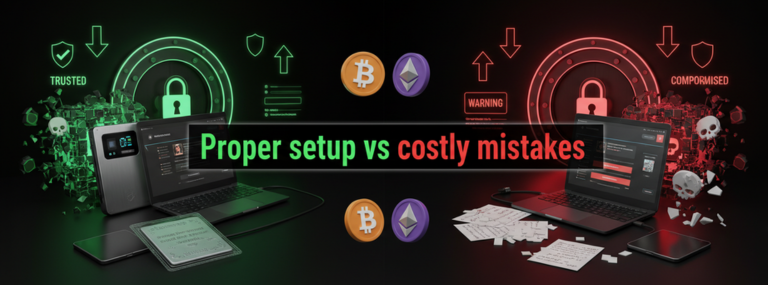
Hardware wallets represent one of the safest methods for storing cryptocurrency. These physical devices keep your digital assets offline, away from hackers and online threats. However, the setup process contains several critical steps where mistakes can result in permanent loss of funds. Understanding these pitfalls helps protect your investment from the start.
What Is a Hardware Wallet?
A hardware wallet is a physical device that stores the private keys to your cryptocurrency offline. Unlike software wallets that exist on your computer or phone, hardware wallets never expose your private keys to the internet. Popular brands include Ledger, Trezor, and KeepKey (Antonopoulos, 2017).
The device generates and stores your private keys internally. When you need to make a transaction, you connect the wallet to your computer, approve the transaction on the device itself, and then disconnect it. This process keeps your keys safe even if your computer has malware.
The 7 Critical Mistakes
1. Not Writing Down Your Recovery Phrase Correctly
The recovery phrase (also called a seed phrase) is a list of 12 to 24 words that acts as a master backup for your wallet. This phrase can restore all your cryptocurrency if your hardware wallet breaks, gets lost, or stops working.
Common errors include:
- Writing words in the wrong order
- Misspelling words
- Using non-standard paper that degrades over time
- Taking a digital photo instead of writing it down
A study by Kraken Security Labs found that improper backup procedures account for a significant portion of wallet recovery failures (Kraken Security Labs, 2022). The recovery phrase must be written exactly as displayed, in the correct order, on durable material.
2. Storing the Recovery Phrase Digitally
Many people take screenshots of their recovery phrase or type it into a notes app for convenience. This practice defeats the entire purpose of a hardware wallet. Any digital storage method creates a vulnerability that hackers can exploit.
Digital storage locations that compromise security:
- Cloud storage services (Google Drive, Dropbox, iCloud)
- Email drafts
- Password managers
- Photos on your phone
- Text files on your computer
According to Chainalysis, over $3.8 billion in cryptocurrency was stolen through various hacks in 2022, with many incidents involving compromised seed phrases (Chainalysis, 2023).
3. Buying From Unofficial Sources
Hardware wallets purchased from third-party sellers on marketplaces like eBay or Amazon may be tampered with. Attackers can modify devices to steal your recovery phrase or private keys when you set them up.
The table below shows the difference between safe and risky purchase sources:
|
Safe Purchase Sources |
Risky Purchase Sources |
|
Manufacturer’s official website |
Third-party Amazon sellers |
|
Authorized retail partners listed on manufacturer’s site |
eBay listings |
|
Official brand stores |
Facebook Marketplace |
|
Verified resellers with direct manufacturer relationship |
Craigslist or local classifieds |
Always verify that the packaging is sealed and shows no signs of tampering. Most manufacturers include tamper-evident seals and provide verification methods on their websites.
4. Skipping the Firmware Verification Step
Hardware wallets ship with firmware that runs the device. During setup, the device often checks that the firmware is genuine and hasn’t been modified. Some users skip this step to save time.
Compromised firmware can:
- Send your private keys to attackers
- Display fake addresses that redirect your funds
- Generate weak or predictable private keys
Ledger and Trezor both include automatic firmware verification during initial setup (Ledger, 2024; Trezor, 2024). The device will display warnings if the firmware doesn’t match the manufacturer’s signature. Never ignore these warnings.
5. Not Testing the Recovery Process
Many users set up their hardware wallet, write down their recovery phrase, and never test whether the recovery actually works. This creates a false sense of security. If the recovery phrase is written incorrectly, you won’t discover the problem until it’s too late.
The testing process involves:
- Setting up the wallet and writing down the recovery phrase
- Sending a small test amount to the wallet
- Resetting the device completely
- Restoring the wallet using only the written recovery phrase
- Verifying that the test amount is still accessible
6. Using the Same PIN Code Across Devices
Hardware wallets require a PIN code to unlock them. This PIN protects your wallet if someone physically steals your device. Using simple or repeated PIN codes reduces this protection.
Weak PIN practices:
- Using “1234” or other sequential numbers
- Using your birthday or other personal dates
- Reusing the same PIN from your phone or bank card
- Sharing your PIN with others
The PIN should be unique and difficult to guess. Most hardware wallets allow 6 to 8 digits. After several incorrect attempts, the device will wipe itself, protecting your assets even if stolen (Antonopoulos & Wood, 2018).
7. Ignoring Additional Security Features
Modern hardware wallets include extra security features that many users never activate:
Passphrase protection: An optional 25th word that adds another layer of security to your recovery phrase. Even if someone finds your 24-word recovery phrase, they cannot access your funds without the passphrase.
Multiple accounts: The ability to create several separate accounts within one wallet, helping organize different types of cryptocurrency or separate personal and business holdings.
Transaction verification: Features that show complete transaction details on the device screen before you approve them, preventing address substitution attacks.
These features exist for a reason. While they add complexity, they significantly increase security. WealthNX AI provides data-driven insights that help users understand which security features matter most for their specific situation, personalizing the learning experience based on individual needs and risk profiles.
The Cost of Mistakes
The cryptocurrency space has numerous examples of permanent loss due to setup mistakes. Bitcoin developer James Howells famously lost access to 7,500 bitcoins after discarding a hard drive containing his wallet keys (BBC News, 2021). While this involved a software wallet, the principle remains the same: without proper backups and recovery information, cryptocurrency becomes permanently inaccessible.
Unlike traditional banking, cryptocurrency transactions cannot be reversed. No customer service department can reset your password or recover your account. The responsibility for security rests entirely with the owner.
How WealthNX AI Supports Your Crypto Journey
Understanding hardware wallet security represents just one aspect of successful cryptocurrency management. WealthNX AI specializes in breaking down complex cryptocurrency concepts into clear, actionable information. The platform offers:
- Educational resources that explain technical topics in everyday language
- Data-driven analysis of market trends and security practices
- Personalized insights based on your specific cryptocurrency interests and goals
- AI-powered guidance that adapts to your knowledge level
Whether you’re setting up your first hardware wallet or managing a diverse portfolio, WealthNX AI helps navigate the complexities of cryptocurrency through education rather than assumptions. The platform recognizes that every user has different needs and learning styles, providing customized support throughout your cryptocurrency journey.
Frequently Asked Questions
What happens if my hardware wallet breaks?
Your cryptocurrency is not stored on the hardware wallet itself. The device only holds your private keys. If the device breaks, you can buy a new hardware wallet from any manufacturer and restore your funds using your recovery phrase. The recovery phrase is the critical backup, not the physical device.
Can I store my recovery phrase in a safe deposit box?
Yes, bank safe deposit boxes provide good physical security for recovery phrases. Some people split their recovery phrase into multiple parts and store them in different secure locations. However, this adds complexity and creates additional points of failure if you cannot access one location.
How long does a hardware wallet last?
Hardware wallets typically last 5 to 10 years with normal use. The device may eventually stop working due to battery degradation or electronic component failure. This is why properly storing your recovery phrase matters more than the device longevity.
Do I need a hardware wallet if I only own a small amount of cryptocurrency?
The decision depends on your comfort level with risk and your plans for the future. Even small amounts can grow significantly in value. Many people who dismissed early Bitcoin holdings later regretted not securing them properly. Hardware wallets currently cost between $50 and $200, a reasonable investment for peace of mind.
Can someone steal my cryptocurrency if they steal my hardware wallet?
Not immediately. The thief would need your PIN code to access the device. After multiple incorrect PIN attempts, the device wipes itself. However, if the thief also has your recovery phrase, they can restore your wallet on a different device. This is why you must store your recovery phrase separately from your hardware wallet.
What’s the difference between hardware wallets and exchange wallets?
Exchange wallets (like Coinbase or Binance) store your cryptocurrency on the exchange’s servers. You don’t control the private keys; the exchange does. Hardware wallets give you complete control of your private keys. The common saying in cryptocurrency is “not your keys, not your coins,” meaning you only truly own cryptocurrency when you control the private keys.
Moving Forward With Confidence
Setting up a hardware wallet correctly from the beginning prevents problems that could result in permanent loss. The seven mistakes outlined here represent the most common and costly errors in hardware wallet setup. Taking time during the initial setup process and following each step carefully pays long-term dividends in security and peace of mind.
Cryptocurrency continues evolving, with new technologies and best practices emerging regularly. Staying informed through reliable educational resources like WealthNX AI helps adapt to changes while maintaining strong security fundamentals. The platform’s AI-powered approach to education means you receive relevant, personalized information as the cryptocurrency landscape develops.
References
Antonopoulos, A. M. (2017). Mastering Bitcoin: Programming the open blockchain (2nd ed.). O’Reilly Media. https://www.oreilly.com/library/view/mastering-bitcoin-2nd/9781491954379/
Antonopoulos, A. M., & Wood, G. (2018). Mastering Ethereum: Building smart contracts and DApps. O’Reilly Media. https://www.oreilly.com/library/view/mastering-ethereum/9781491971940/
BBC News. (2021, January 14). Bitcoin: Man makes last-ditch effort to recover $280m from dump. BBC News. https://www.bbc.com/news/uk-wales-55658942
Chainalysis. (2023). The 2023 crypto crime report. Chainalysis. https://www.chainalysis.com/blog/2023-crypto-crime-report-introduction/
Kraken Security Labs. (2022). Wallet security research findings. Kraken. https://blog.kraken.com/security
Ledger. (2024). Ledger security: How it works. Ledger. https://www.ledger.com/academy/security/ledgers-security-model-explained
Trezor. (2024). Trezor user manual: Firmware verification. Trezor. https://trezor.io/learn/a/firmware-verification